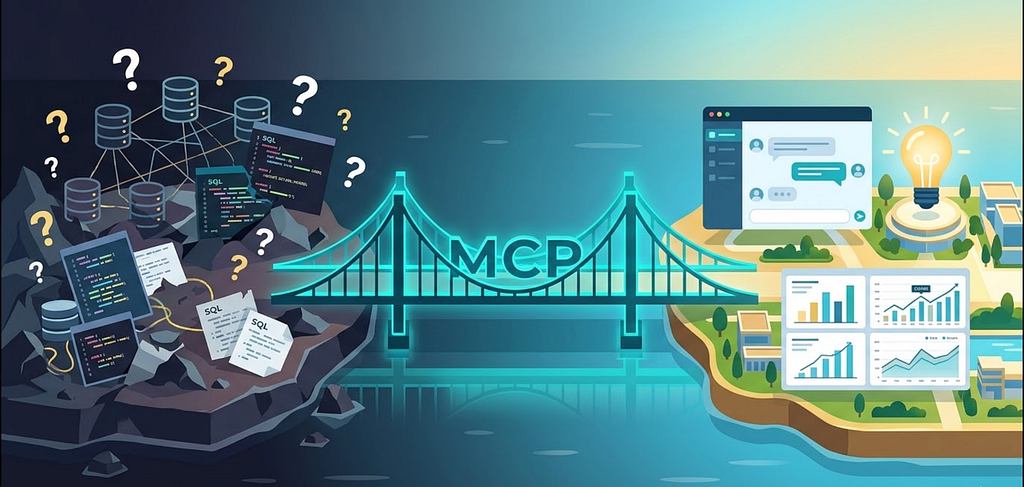
LLMs are smart but blind. Your semantic layer is organised but silent. MCP is the bridge that lets AI see your data — and answer questions without hallucinating.
The Promise and the Problem of “Chat With Your Data”
Every data platform now offers some version of the same pitch: “Ask questions about your data in natural language. No SQL required.”
The promise is compelling. A business user types “How did we perform last quarter?” and gets an accurate, well-formatted answer — no tickets, no waiting, no SQL expertise needed.
The reality, in most implementations, is far less reliable.
When a large language model generates SQL against your warehouse, it’s guessing. It guesses at table names based on column headers it can see. It guesses at join paths based on naming conventions. It guesses at how to aggregate, what filters to apply, what time grain to use, and how to handle nulls. Sometimes the guesses are right. Often they’re subtly wrong. And the failure mode is insidious — the LLM returns a number that looks plausible but is silently incorrect.
This isn’t a model intelligence problem. GPT-4, Claude, Gemini — they’re all sophisticated enough to write syntactically correct SQL. The problem is context. The LLM doesn’t know your organisation’s metric definitions, your business logic conventions, your join hierarchies, or your data quality rules. It’s working from column names and whatever patterns it absorbed during training.
That’s not enough for analytics you can trust.
What’s Missing: Structured Context
The gap between “AI that writes SQL” and “AI that gives trustworthy answers” is structured context – the governance layer that defines how your data is modelled, tested, and interpreted.
In the below articles,
- Why Data Teams Need a Semantic Layer
- Metrics as Code: Building a Semantic Layer With dbt and MetricFlow
I covered how a semantic layer provides this governance for human consumers: metrics defined as code, version-controlled in Git, served consistently to every dashboard and report. If you’ve built a semantic layer with dbt and MetricFlow, you already have the hardest piece.
What’s been missing is the bridge – a way to make that governed context machine-readable so that AI agents can access the same definitions, the same metrics, and the same lineage that your human analysts use.
That’s what the dbt MCP Server provides.
What Is MCP?
The Model Context Protocol (MCP) is an open standard, originally released by Anthropic in late 2024, that defines how AI systems access external tools, data, and context at query time.
A Simple Analogy
Think of MCP as a USB-C port for AI. Before USB-C, every device had its own proprietary connector. You needed a different cable for every phone, camera, and laptop. USB-C standardised the interface — one port, universal compatibility.
MCP does the same for AI-to-data connections. Instead of building custom integrations for every AI tool — one connector for Claude, another for ChatGPT, another for Cursor, another for your internal copilot — you expose your data through a single MCP server. Any MCP-compatible client can plug in.
How MCP Differs From Direct Database Access
In a traditional “text-to-SQL” setup, the AI gets a database connection and writes SQL directly. This is powerful but ungoverned — there’s nothing between the LLM’s best guess and your production warehouse.
MCP works differently. Instead of raw database access, the AI gets a menu of tools — discrete, well-defined functions it can call, each with clear inputs and outputs. The AI selects the appropriate tool, passes in parameters, and gets back structured results.
This is fundamentally safer. The AI doesn’t have the freedom to write arbitrary SQL. It can only perform the operations you’ve exposed through tools. And because you control the tool definitions, you control the governance boundary.
What the dbt MCP Server Exposes
The dbt MCP Server takes everything in your dbt project — models, metrics, documentation, lineage, tests, semantic layer definitions — and wraps it in MCP tools that AI agents can call.
These tools fall into three categories, and understanding each is important for designing effective AI-over-data experiences.
Discovery Tools: Letting AI Understand Your Data
Before an AI agent can answer questions, it needs to understand what data exists and how it’s organised. Discovery tools provide this orientation:
- Model exploration — list all models in the project, get details for specific models, explore mart-level models that are designed for consumption
- Lineage navigation — trace upstream dependencies (“where does this data come from?”) and downstream impacts (“what breaks if this table changes?”)
- Documentation access — read model descriptions, column descriptions, ownership metadata, freshness information
- Semantic search — find relevant models even when the user’s question doesn’t match an exact table or column name
Think of this as giving a new analyst a thorough onboarding. Before answering a single question, the AI builds a contextual understanding of your data landscape — what exists, how it connects, who owns it, and what it means.
Semantic Layer Tools: Querying Governed Metrics
This is the critical differentiator. These tools connect directly to the governed metrics defined in your semantic layer:
- List metrics — discover what business metrics are available
- Get dimensions — understand how a given metric can be sliced (by time, region, product category, etc.)
- Get entities — understand the join keys and relationships available for a metric
- Query metrics — execute a metric query and return governed results
- Get compiled SQL — inspect the exact SQL that MetricFlow generates, without executing it
When the AI calls query_metrics, it's not writing SQL. MetricFlow generates the SQL from your YAML definitions. The result is correct by construction — it's derived from the same definitions that power your dashboards.
This is the difference between an AI that hallucinates numbers and one that returns answers grounded in your source of truth.
Execution Tools: Operating on Your dbt Project
For development and operational workflows, the MCP server also exposes dbt CLI tools:
- Build, run, test — execute models, run data tests, validate quality
- Compile — generate SQL from models without executing, useful for review and validation
- Parse — check project files for syntax correctness
- Show — execute ad-hoc SQL and return results
- Generate — scaffold new model YAML, source definitions, and staging models
These tools enable a new class of use case: agentic development. AI agents that don’t just query your data but develop your dbt project — refactoring models, running tests, and validating changes against your existing governance framework.
The Key Architectural Principle
There’s one principle that makes the entire architecture work, and it’s worth stating explicitly:
The LLM never writes raw SQL. It calls governed tools through MCP. The SQL is generated by MetricFlow from your governed definitions.
In a typical “text-to-SQL” approach:

With the dbt MCP Server and semantic layer:

The LLM’s job shifts from SQL generation (error-prone, ungoverned) to intent interpretation (what metric does the user want? what dimensions? what filters?) and tool selection (which MCP tool should I call?). These are tasks LLMs are genuinely good at.
The SQL generation — the part that requires deep knowledge of your schema, join paths, business logic, and platform-specific syntax — is handled by MetricFlow, which has that knowledge encoded in your YAML definitions.
This separation of concerns is why the architecture produces trustworthy results.
Local vs. Remote: Two Deployment Models
The dbt MCP Server supports two deployment modes, each suited to different use cases.
Local MCP Server
The local server runs on your machine alongside your dbt project. It provides full access to dbt CLI commands and works with dbt Core, the dbt CLI, and the dbt Fusion engine.
Best for:
- Individual development workflows with tools like Cursor, Claude, or VS Code
- Full CLI access including build, run, test, and compile
- Working with local dbt projects without requiring a cloud account
- Proof-of-concept exploration and validation
Trade-off: It’s tied to a single developer’s machine. Not suited for multi-user or production deployments.
Remote MCP Server
The remote server connects to the dbt platform via HTTP. No local installation required.
Best for:
- Production AI applications serving multiple users
- Web applications and organisational-scale agent deployments
- Consumption-focused use cases (querying metrics, exploring metadata, viewing lineage)
- Environments where local software installation is restricted
Trade-off: Primarily consumption-oriented. The full development CLI tools aren’t available through the remote server.
For most teams, the journey starts local (POC and development) and moves remote (production and organisational scale).
Found this useful? Follow me on Medium (aradsouza) or LinkedIn https://www.linkedin.com/in/alwynanildsouza/
for more practitioner-voice content on dbt, data mesh, and the modern data stack.
The dbt MCP Server: How the Model Context Protocol Bridges Governed Data to AI Agents was originally published in Towards Data Engineering on Medium, where people are continuing the conversation by highlighting and responding to this story.
This article was originally published at https://medium.com/towards-data-engineering/the-dbt-mcp-server-how-the-model-context-protocol-bridges-governed-data-to-ai-agents-5ae25b7b6703?source=rss-670f6306e3c0------2