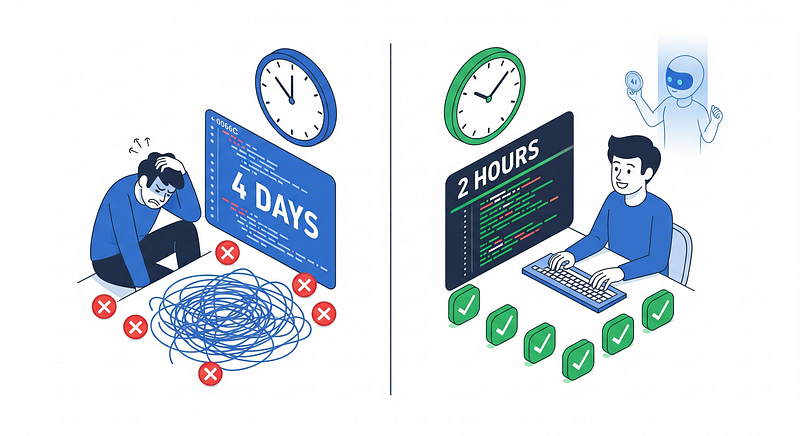
The bottleneck you don’t talk about in standup meetings, but everyone feels: code reviews that drag on for days, developers frustrated by wait times, and reviewers exhausted from checking the same standards over and over.
We had all the modern tooling — CI/CD pipelines, automated testing, linters, even AI coding assistants. Yet pull requests still took 2–4 days from submission to approval, 35% of commits failed pre-commit hooks, and our code standards adherence hovered at 70%.
Then we tried something different. Not throwing more tools at the problem, but teaching AI to understand our specific context — our architecture, our patterns, our accumulated wisdom. The transformation was dramatic:
- Review time dropped 75%: 2–4 days → 1–2 hours
- Pre-commit failures fell 80%: 35% → 7%
- Revision cycles cut in half: 2–4 → 1–2 per PR
- Test coverage jumped 32 points: 60% → 92%
- Documentation compliance up 43 points: 45% → 88%
- Standards adherence hit 100%: up from 70%
This is the story of how we did it, and how you can too.
Why generic AI wasn’t enough
When AI coding assistants like GitHub Copilot became available, we were optimistic. Finally, automated help with code reviews! We enabled it and waited for magic.
It didn’t come.
Copilot would review our data transformation code and give feedback like “this SELECT statement could be written more clearly” or “consider adding comments.” Generic advice that could apply to any codebase anywhere.
It completely missed what actually mattered to us:
- Didn’t know that certain model types required specific pre-processing steps
- Couldn’t catch missing configurations that were mandatory in our architecture
- Had no idea about our naming conventions or organizational patterns
- Couldn’t enforce our testing requirements or documentation standards
The senior engineer still had to do the entire manual review. We’d just added another tool without solving the problem.
Here’s why: AI coding assistants are trained on millions of repositories. They understand general software engineering principles and common patterns. What they don’t have — what they can’t have out of the box — is knowledge of your specific architecture, your team’s decisions, and your accumulated wisdom.
The breakthrough: teaching AI your context
The solution came from a feature many people overlook: Custom Instructions. GitHub Copilot can read instruction files in your repository that teach it your specific patterns and standards.
The implementation is straightforward:
.github/
├── copilot-instructions.md (repository-wide, applies everywhere)
└── instructions/
 ├── src="https://cdn-images-1.medium.com/max/800/1*g1KdtIWE4YLwpld4pCJDTw.png">

Two types of instruction files:

1. Repository-wide (.github/copilot-instructions.md): Applies to all code in the repository. Works in all IDEs that support Copilot.
2. Path-specific (.github/instructions/*.instructions.md): Applies only to specific file types or directories. Currently works best in VS Code and GitHub.com for Copilot Coding Agent and Code Review features.

Path-specific files use YAML frontmatter to define where they apply:
---
applyTo:\
- "models/**/*.sql"\
- "**/*.sql"
---
\
SQL Model Standards\
[Your instructions here]
\
The applyTo field uses glob patterns to match files. This lets you have different standards for different parts of your codebase.

### What goes into these instructions

This isn’t just documentation copy-pasted into markdown files. Effective instructions include:

1. The Rule — Clear, specific statement of what’s required

2. Why It Exists — The reasoning, often from painful lessons learned

3. How to Implement — Code examples showing correct patterns

4. Common Mistakes — What you often see done wrong, with examples

5. How to Check — What to verify for compliance

Keep files focused: Best practice is to limit instruction files to around 1,000 lines maximum. Beyond this, Copilot may overlook some instructions and response quality can deteriorate. Start with 10–20 critical patterns and add incrementally based on real needs.

### The transformation in practice

Let’s compare how a typical code review scenario plays out:

### The old way (manual review)

Monday: Developer submits PR for new data model. Code works, tests pass locally.

Tuesday afternoon: Reviewer gets to it, leaves comments: “Missing pre-hook. See our standards wiki.” “Need to add deduplication.” “Where are the primary key tests?”

Wednesday: Developer searches wiki, finds outdated page, asks in Slack for clarification.

Thursday: Makes changes, pushes update. Reviewer finds new issues: “Wrong deduplication key” “Still need documentation”

Friday: Another revision cycle.

Result: 4 days, multiple context switches, frustration on both sides.

### The new way (context-aware AI)

Monday 9:00 AM: Developer starts writing data model.

Monday 9:15 AM: Uses Copilot in IDE, which suggests correct config based on custom instructions. Developer accepts.

Monday 10:00 AM: Submits PR, asks Copilot to review before requesting human review.

Monday 10:02 AM: Copilot flags three issues:

🚨 CRITICAL: “Missing ‘delete_old_records()’ pre-hook required for incremental models.”

🚨 CRITICAL: “Must include deduplication using dbt_utils.deduplicate().”

⚠️ WARNING: “Missing ‘unique’ and ‘not_null’ tests on primary key.”

Monday 10:30 AM: Developer fixes issues, requests human review.

Monday 11:00 AM: Human reviewer sees compliance is handled, focuses on business logic.

Monday 11:30 AM: Approved.

Result: 2.5 hours, single cycle, minimal friction.

### The three-tier approach

We organize instructions in three tiers of severity:

🚨 CRITICAL: Breaks functionality or creates serious problems

* Non-negotiable requirements
* Example: Missing required configurations that cause data corruption

⚠️ WARNING: Violates standards, creates technical debt

* Should be fixed but might have valid exceptions
* Example: Missing tests, inadequate documentation

ℹ️ INFO: Improvement opportunities

* Makes code better but not essential
* Example: Refactoring suggestions, performance optimizations

This helps developers prioritize and helps reviewers understand what really matters.

### What changed beyond the numbers

The quantitative improvements are impressive, but qualitative changes matter just as much:

Reviewer fatigue vanished. When you don’t mentally check the same twenty requirements on every PR, you have energy for things requiring actual human judgment — architectural decisions, business logic, edge cases.

Developers learned faster. Instead of waiting days for feedback, they get instant, specific, actionable guidance. They internalize patterns. New team members come up to speed in weeks instead of months.

Standards became consistent. Human reviewers are variable — good days and bad days, different emphases. Context-aware AI enforces standards identically every single time.

The conversation shifted. Code review comments moved from “you forgot this boilerplate” to “have we considered this alternative approach?” Human reviewers became enablers focused on value-add feedback, not gatekeepers checking compliance boxes.

Onboarding accelerated. New developers get real-time teaching about patterns and standards. They don’t just fix issues — they understand why patterns exist.

### The relationship between CI and AI

A common question: doesn’t CI/CD already catch these issues?

Yes and no. CI and context-aware AI are complementary:

CI/CD catches: Syntax errors, test failures, build breaks, security vulnerabilities

Context-aware AI catches: Architecture violations, standard deviations, missing documentation, incomplete tests, anti-patterns

The key difference: timing

* CI runs after you commit and push
* AI reviews while you’re writing code or immediately on PR

This means fewer CI failures (caught by AI first), faster feedback loops (no commit/push/wait cycle), and better learning (explanations alongside checks).

Our pre-commit failure rate dropped 80% not because we removed CI checks, but because developers caught and fixed issues before they hit CI.

### Five steps to implement this

This isn’t theoretical. Here’s the practical path:

Step 1: Create the structure (2–4 hours)
.github/
├── copilot-instructions.md (start here - works everywhere)
└── instructions/ (add later for path-specific rules)
Start with a repository-wide copilot-instructions.md file. This works in all IDEs and is the simplest approach.

Compatibility note:

* Repository-wide instructions work in VS Code, Visual Studio, JetBrains, Xcode, GitHub CLI, and GitHub.com
* Path-specific instructions (in the instructions/ folder) currently work best in VS Code and GitHub.com

Recommendation: Start repository-wide. Add path-specific instructions later if you need different rules for different file types.

Step 2: Pick your first technology (1 hour)

Don’t try to document everything at once. Pick the technology where you have the most PRs, clearest standards, and biggest pain points.

Step 3: Document critical patterns (20–40 hours)

For your chosen technology, identify the top 5–10 patterns that are required, frequently missed, cause problems when violated, and trip up new developers.

Document each with: the rule, why it exists, how to implement, common mistakes, and how to check.

File length best practices:

* Start with 10–20 critical instructions
* Keep files under ~1,000 lines for best results
* If a file grows too large, split it into path-specific instruction files
* Add incrementally based on real usage, not anticipated needs

Step 4: Test and refine (4–8 hours)

Go back through recent PRs. Ask Copilot to review them using your new instructions. Adjust instructions based on what it catches and misses.

Step 5: Roll out and iterate (ongoing)

Deploy to your team. Gather feedback. Update instructions monthly based on usage patterns, new standards, and lessons learned.

### Common challenges

Challenge 1: Instructions too generic Solution: Add specific examples from your actual codebase. Reference specific systems and patterns unique to your project.

Challenge 2: Too many false positives Solution: Add examples of valid exceptions. Use language like “typically requires” instead of “must always.”

Challenge 3: Instructions get out of sync Solution: Make instruction updates part of your standard process. When standards change, update instructions in the same PR.

Challenge 4: Developers ignore AI feedback Solution: Make AI review a required step before human review. Set team norms around respecting AI feedback.

### The investment vs. the return

Let’s be realistic about costs:

Initial investment:

* 20–40 hours creating comprehensive instructions
* 4–8 hours testing and refining
* 2–3 hours communicating to team

Ongoing investment:

* 2–3 hours per month maintenance
* 4–8 hours per additional technology

Return: If you save 1–2 days per PR (conservative) and have 20 PRs per sprint, that’s 40 person-days saved per sprint. Over a quarter, hundreds of person-days.

Even at 10% improvement, the ROI is enormous. And that doesn’t count morale improvements, better learning, or reduced reviewer burnout.

### What this means strategically

Context-aware AI is more than a tactical improvement. It has strategic implications:

Democratization of expertise: Junior developers get senior-level feedback instantly. New team members access accumulated knowledge immediately. Knowledge doesn’t walk out the door when people leave.

Living documentation: Instructions are versioned with code, applied automatically, validated by usage, and improved through feedback. They become single source of truth that’s actually consulted.

Continuous learning: As instructions evolve based on incidents and feedback, they become a learning system that proactively improves patterns.

Competitive advantage: Teams that master this ship faster with consistent quality, onboard developers faster, reduce incidents and rework, and maintain better morale.

### Limitations and realistic expectations

This is powerful but not magic. Be clear about limitations:

Context-aware AI is great at:

* Enforcing known patterns and standards
* Catching missing configurations
* Identifying common mistakes
* Teaching through examples
* Consistent rule application

Context-aware AI struggles with:

* Novel architectural decisions
* Complex business logic
* Subtle bugs requiring deep domain knowledge
* Tradeoff analysis between competing approaches
* Understanding unstated requirements

Human reviewers remain essential for strategic thinking, architectural oversight, and complex problem-solving. The goal isn’t replacement — it’s elevation from gatekeepers to strategic advisors.

### The bigger picture

This pattern extends beyond code reviews. The same principle — teaching AI your specific context — applies to:

* Architecture reviews with your architectural principles
* Security reviews with your threat model
* Performance reviews with your performance standards
* Documentation reviews with your documentation requirements

Any domain with established patterns and accumulated knowledge can benefit.

The teams that figure out how to systematically encode their expertise will have significant advantages. Not because the AI is smarter, but because knowledge is more accessible.

### The real transformation

This isn’t really a story about AI. It’s about making expertise accessible and scalable.

We had the knowledge all along — it was trapped in people’s heads and scattered across documentation nobody read consistently. Custom Instructions forced us to articulate that knowledge clearly and structure it logically. The AI just made it instantly accessible at the moment someone needs it.

The code review acceleration is wonderful. The reduced frustration is wonderful. But the most valuable thing is having a systematic way to capture and share institutional knowledge. Every time we update instructions, we build a better foundation for everyone who comes after.

Start small. Pick your biggest pain point. Document your standards clearly. Test on a few PRs. Refine based on feedback. Scale from there.

We went from 2–4 day code reviews to 1–2 hours not by working harder, but by working smarter — by teaching AI to understand our specific context and enforce our specific standards.

The future of code reviews isn’t human or AI. It’s human and AI, each doing what they do best, with context bridging the gap between them.

Your team can achieve the same transformation. The tooling exists. The question is whether you’re willing to invest the time to teach AI your context.

The answer should be obvious: the cost of slow, inconsistent code reviews is enormous. The cost of fixing it is surprisingly small.

What are you waiting for?

---

This article was originally published at https://medium.com/@aradsouza/from-4-days-to-2-hours-how-context-aware-ai-transformed-our-code-reviews-f30b5da9db6b